
ElevenLabs Intelligence
Natural pacing that slows for important points. Emphasis on the right words. Intonation that rises for questions and settles for statements.
New: AI Avatar Video Generator
Professional training video used to mean studios, actors, scripts, shoots, edits, and a budget that killed the conversation before it started. AI changed the cost. But photorealistic digital humans brought a new problem: learners who can't shake the feeling that something is off.
QuikAuthor's Avatar Video takes a different approach. Illustrated presenters your learners actually connect with. Natural voices they want to listen to. Interactive knowledge checks built into every lesson.
Live Generation
Illustrated Presenters
Human connection, minus the uncanny valley.
THE PROBLEM WITH TRAINING VIDEO
Learners pay more attention when someone is guiding them through content. Presenter-led training outperforms text-only delivery on engagement, completion, and retention. This isn't debatable. It's decades of evidence.
The problem has never been whether video works. It's that producing it is slow, expensive, and impossible to update. Film a presenter today, and when the regulation changes next month, the video is wrong and the budget to reshoot it doesn't exist.
Most L&D teams solve this by not using video at all. Their learners get slides and text. Not because that's the best experience. Because that's what the budget and timeline allow.
Avatar Video removes the barrier. Professional presenter lessons that cost nothing extra to produce, nothing to update, and nothing to reshoot. The quality of video with the flexibility of text.
WHY ILLUSTRATED, NOT "REALISTIC"
Most AI avatar tools compete on how realistic their digital presenters look. The result is faces that are 95% convincing and 100% distracting. Learners can't articulate what's wrong, but they feel it. The uncanny valley sits underneath the entire experience.
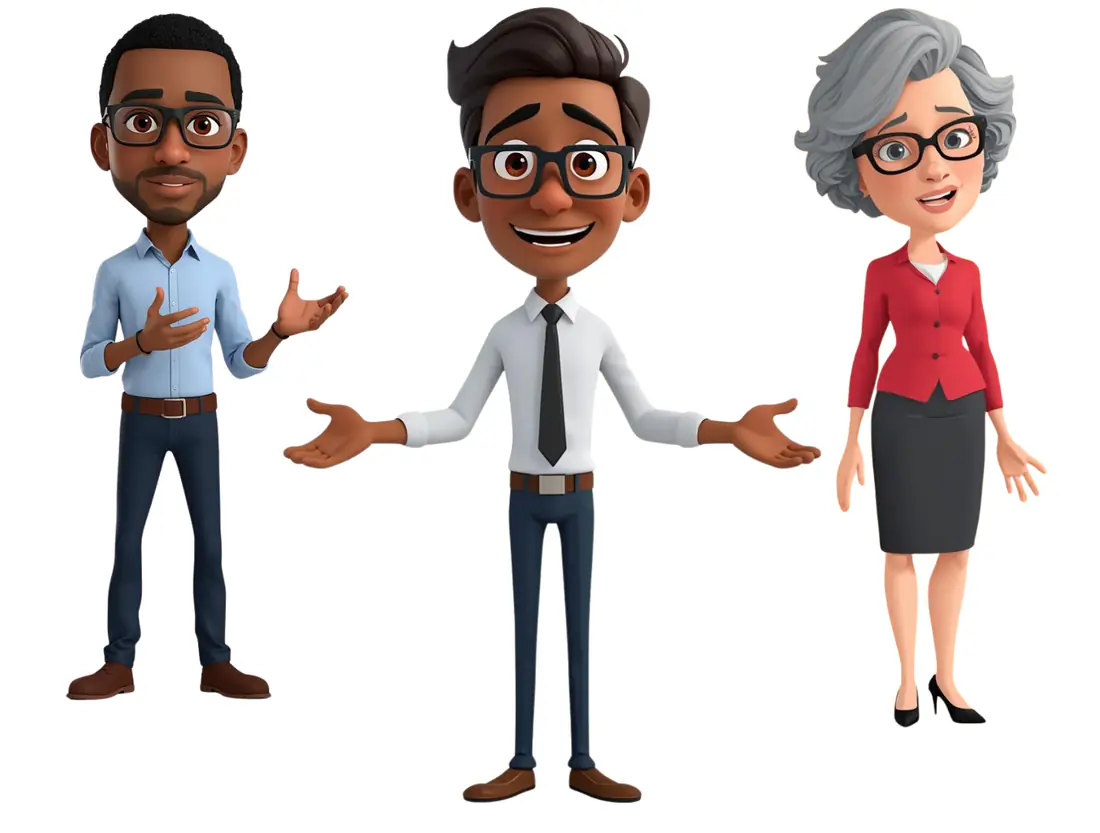
QuikAuthor's presenters are deliberately illustrated. Professional 3D characters that are warm, expressive, and immediately readable. Your learners' brains process them as "presenter" rather than "almost-person." No unease. No distraction. Just clear, engaging delivery.
This isn't a compromise. In every test, learners described illustrated presenters as friendly, clear, and easy to watch. They described photorealistic ones as weird, off, and distracting. We chose the approach that produces connection, not the one that produces technical demos.
Warm & Expressive
Connection without distraction
THE VOICE MAKES THE DIFFERENCE
Most AI presenter tools pair their avatar with text-to-speech that sounds like a machine reading a script. Flat pacing. Wrong emphasis. Robotic intonation. After thirty seconds, your learner's attention is gone.
Natural pacing that slows for important points. Emphasis on the right words. Intonation that rises for questions and settles for statements.
British, American, Australian, Indian English and more. Match the voice to your audience so the training feels local, not generic.
THREE STEPS
Type a script directly, upload an existing document, or describe your topic and let the AI write the script for you. The AI structures content for spoken delivery, not written reading. Natural sentence lengths. Conversational phrasing. Built to be heard.
Select from a library of illustrated characters spanning different genders, ethnicities, ages, and professional styles. Preview voices before you commit. Pick the combination that fits your content and your audience.
The platform handles animation, lip-sync, subtitle generation, and interactive knowledge check creation. Export as SCORM 1.2 or 2004 for your LMS, or share via link. Your lesson is live in minutes with engagement tracking from day one.
Most video tools create something to watch. QuikAuthor creates something to learn from. Every avatar lesson automatically includes interactive knowledge checks generated from the script content. The learner doesn't just hear the information. They're tested on it.
NOT JUST WATCHABLE. LEARNABLE.
The AI analyses your script and generates assessment questions tied directly to the content the presenter just delivered. Not generic filler. Questions that test whether the learner understood what they heard.
Interactive challenges woven throughout the lesson force active recall at the moments that matter most. The learner shifts from passive viewer to active participant without leaving the video experience.
Learners don't just answer. They rate how certain they are. The data shows you who understood the content and who got lucky. That's the difference between a view count and a learning outcome.
WHY L&D TEAMS CHOOSE ILLUSTRATED AVATARS
Illustrated characters create connection. Photorealistic digital humans create unease. Your learners engage with the content instead of analysing why the face looks wrong.
The same character, the same style, the same quality in lesson one and lesson fifty. No variation between video generations. Your course has a visual identity that holds.
Nobody mistakes an illustrated character for a real person. No consent issues. No likeness questions. No uncomfortable conversations with legal.
Regulation changed? Edit the script and regenerate. Product updated? Rewrite the relevant section and regenerate. No studio. No reshoot. No budget request.
Generate scripts in multiple languages. Select voices that match your regional audience. Deploy the same content worldwide with local voices and translated scripts.
Professional, consistent visual style that sits alongside your existing brand communications without clashing. No designer required.
WHERE AVATAR LESSONS ADD MOST VALUE
You don't need an avatar in every lesson. Use it where a guide makes the difference.
A friendly presenter welcoming learners and setting expectations creates guided learning from the first slide. The learner feels led, not left alone.
When content is conceptually dense, a natural voice breaking it down at conversational pace produces better comprehension than the same text on a slide.
Dry content delivered by a warm, well-paced voice through a friendly character is measurably more engaging than the same policy language on a screen.
Before a branching decision or knowledge check, a presenter setting the scene creates emotional engagement that a text card doesn't.
After gamified interactions test the knowledge, a presenter restating the key points through a different channel strengthens retention.
Choose a character. Choose a voice. Write or generate a script. The platform handles animation, lip-sync, subtitles, knowledge checks, and SCORM export.
No credit card required • Instant access