
3:19 MINUTES · UPDATED FEBRUARY 2026
QuikAuthor 106: Using the AI Course Generator to Create Courses
Harness the power of AI to generate complete courses from just a simple prompt.
About this Tutorial
QuikAuthor's AI Course Generator lets you create fully interactive SCORM-compliant courses from a single text prompt. In this tutorial, we demonstrate how to set a topic, define your audience, generate an outline, preview slides, and build a complete course with quizzes and games in under 5 minutes. This tool is a powerful EdApp alternative for rapid content development.
Next tutorial: QuikAuthor 107: SCORM Conversion & Migrating EdApp Content
Transcript
Now, we're going to have a look at AI generation.
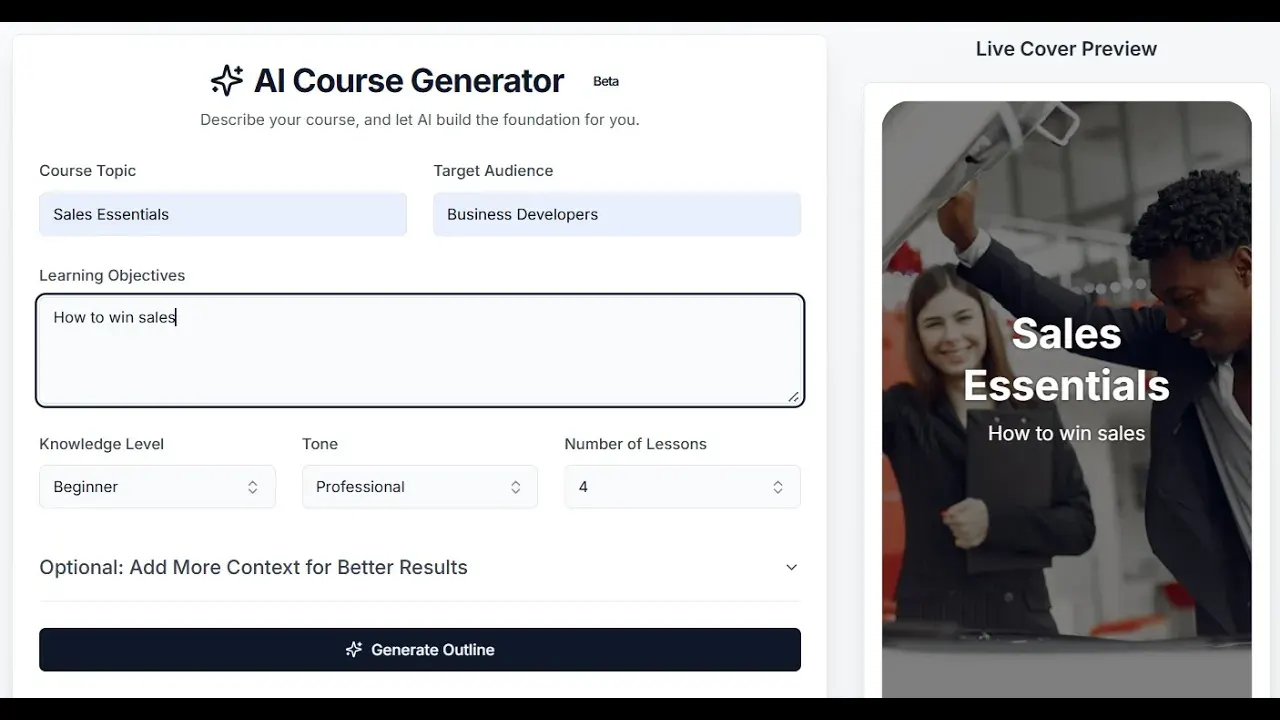
You'll see some simple boxes that need to be completed. First, we enter our title and target audience.
Let's keep it simple: "How to Win Sales."
We can define our audience as "intermediate."
We'll choose a conversational style and set it to two lessons.
Now, let's go ahead and click "generate."
You can add more details if you like, but we're just going to generate our outline.
We now have our proposed course title.
We have the details, the description, and the proposed tags.
Everything in here is editable.
We also have the outlines for both lessons. Again, you can edit these here.
You have two options: skip the preview and build, or preview your slides.
Let's click preview.
Now our previews are ready, so we can take a look.
These are the slides the AI is proposing to build.
We can see the details that will be included in each.
We also have the ability to refine the instructions.
There are some suggestions on how to do that here.
For example, we could make this focus on software sales.
We could include telephone and email selling or refine the testing aspects.
You can go through each lesson individually or just let it build.
Let's build the full course now.
Here is our course: "Sales Essentials: Strategies for Winning."
We have the course details and the tags.
Anything we want to change can be done here, including the front cover.
We have our branding options as well.
If you want to change the style of the course, you can do that here.
Then we have our two lessons.
Just like before, each lesson has its own tagging, cover, and description.
Everything is editable.
Let's click into one of these lessons.
As you can see, it is now fully populated.
As always, you can make changes directly here.
Change the colour, the style, or the size.
You can delete slides if you want to. All of the information has been converted into a ready-made course.
This includes testing components and games as well.
It's super simple.
You can add slides, delete slides, or change any aspect you like.
Now, it's ready to go.