
2:09 MINUTES · UPDATED FEBRUARY 2026
QuikAuthor 107: SCORM Conversion & Migrating EdApp Content
Learn how to easily migrate your existing EdApp content into QuikAuthor.
About this Tutorial
Migrating your training content to QuikAuthor is seamless with our specialised converter, currently certified for EdApp courses. This tutorial walks through the process of uploading EdApp SCORM packages, let QuikAuthor's AI deconstruct the content, and re-author it using our modern, gamified templates while maintaining content integrity.
Next tutorial: QuikAuthor 108: Managing AI Translation for Courses
Transcript
This has been built for EdApp lovers, so not everyone is going to have this capability turned on.
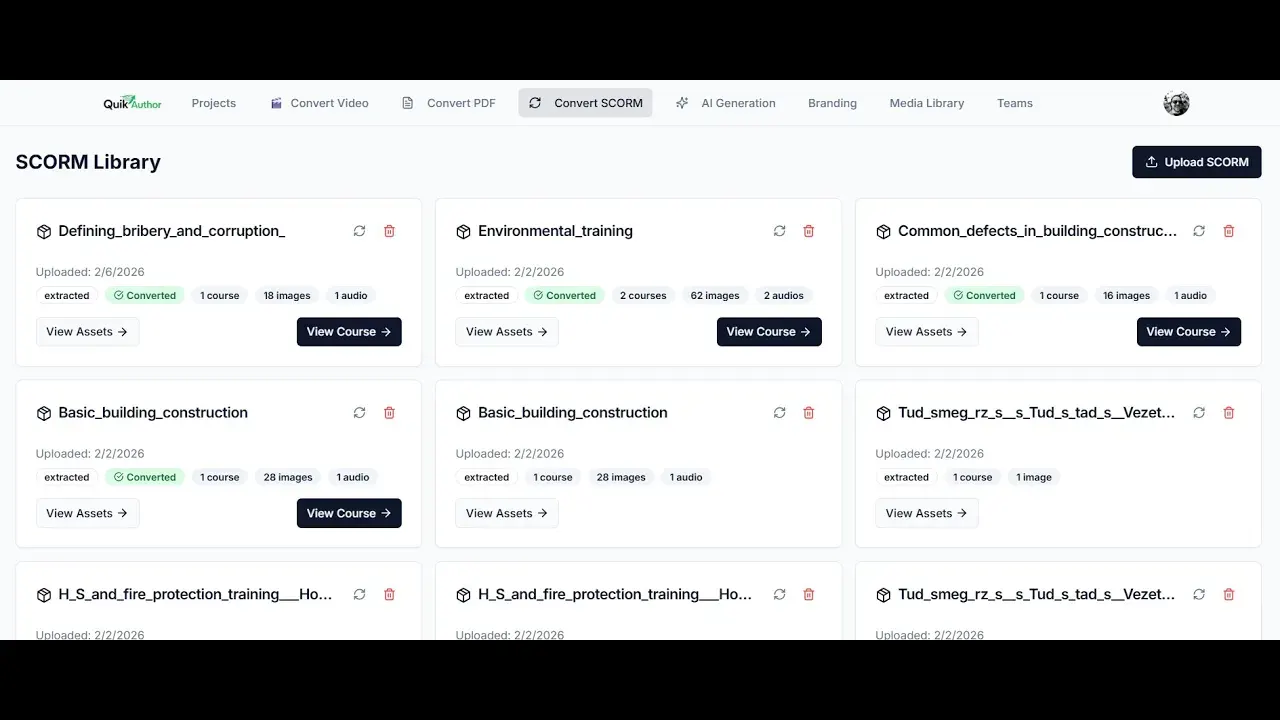
To convert SCORM, it is super simple. You just upload your SCORM file.
Again, this is only certified for EdApp courses. We're going to choose our file and upload.
Now we have our extracted course. We can view the asset.
This will give us the script from the lesson. It will also show us any images that have been pulled from the lesson, as well as audio and video if available.
All we need to do now is convert the course. If we want to convert to different languages, we can do that too.
And hey presto! Here we have our "Closing Techniques" course.
We have the course title, description, tags, and more. You can change all the branding if you want to.
Then we have the lessons. Let's just jump into one.
Here we can see the lesson that's been created. You can see we've got some building slides in here, with various templates chosen to share the information.
We're also going to find quizzes and tests throughout. Here we have a match game, for example.
That's it! That's all you need to do. It is super simple to convert EdApp courses.
If you want to add anything, delete anything, or make any changes, you can do so.