
1:45 MINUTES · UPDATED FEBRUARY 2026
QuikAuthor 109: AI PDF to Interactive Course Conversion
Learn how to transform static PDFs and documents into structured, gamified courses.
About this Tutorial
QuikAuthor's AI PDF converter deconstructs your training documents, policy guides, and presentations to create a logical learning path. This tutorial shows the full process from upload to final course, including lesson segmentation, editable outlines, and integrated knowledge checks.
Next tutorial: QuikAuthor 110: Learner Management, Share and Track Training
Transcript
Now, we’re going to look at PDF conversion.
We don’t need to worry about the target language; we’ll just set ourselves to two lessons.
Let’s find a PDF to upload. This is probably the hardest bit: me trying to find an appropriate PDF!
We’ve found one, so let’s add that now.
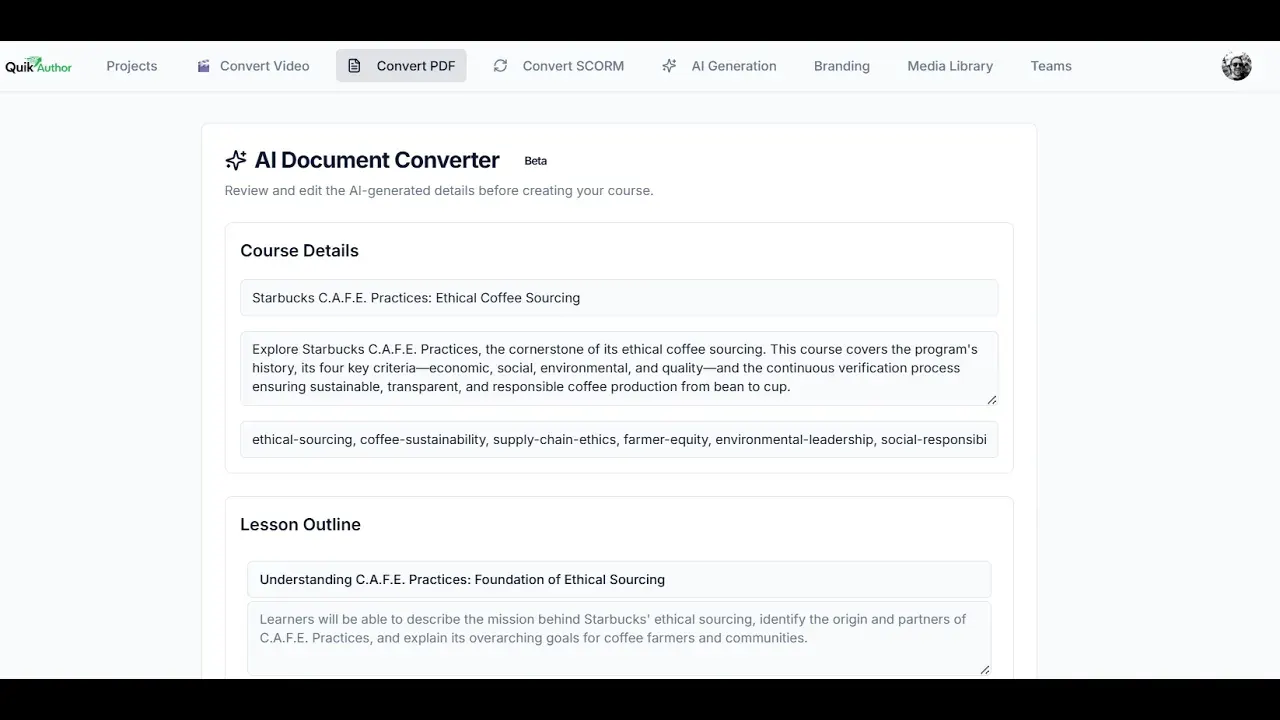
Perfect. Now we can see the course has been broken down.
We have the course details and the lesson outlines.
All of this is editable, so if you want to put in more information, you can.
Next, all we need to do is generate the course.
Here we have our course, built directly from the PDF.
We can see the course title and the tags, which are all editable.
We have all of our branding aspects that we can change, and then we have the lessons.
As before, you can add more lessons, translate them, or complete a QA scan.
We'll jump into the lesson here.
You can see this lesson has a preset title, description, and tags. Again, you can change any aspect you want.
If we jump into the lesson itself, we see the course broken down into different sections from the programme.
As before, any editing you want to make or any slides you want to add is very simple.
You'll find quizzing and gaming aspects in here as well to test understanding.
Here we can see an example of a quiz. And that's it!